Why a single flatness number is not enough
A machined pad carries a flatness callout and a CMM touches it in a dozen points. A welded frame, a bent panel or a table top carries something else: flatness over the whole face, flatness within any 300 × 300 mm window, straightness of each edge, straightness within any 1 000 mm — often all four on the same drawing. One number cannot answer them, and a colour map alone cannot be put in a report with a PASS or FAIL next to each callout.
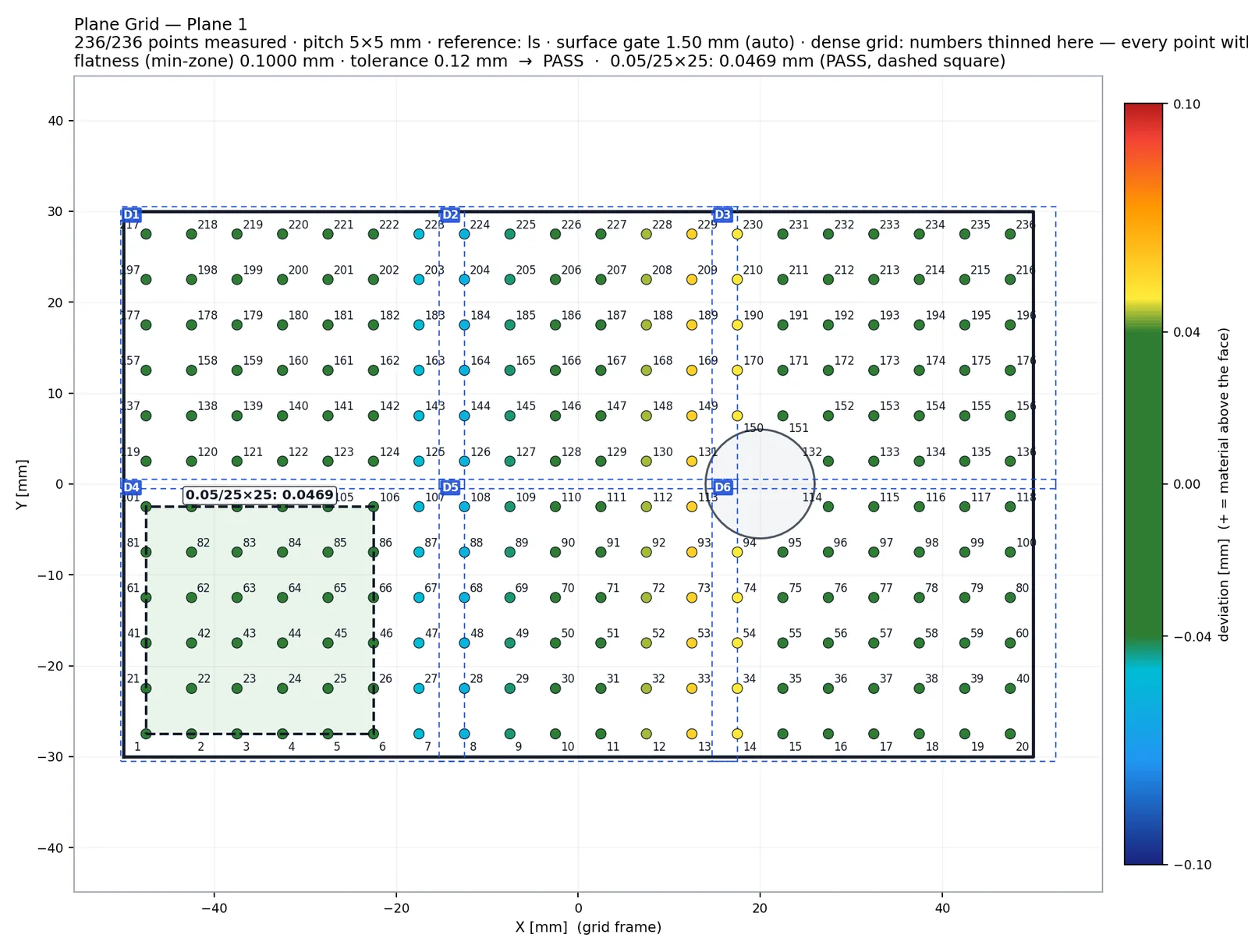
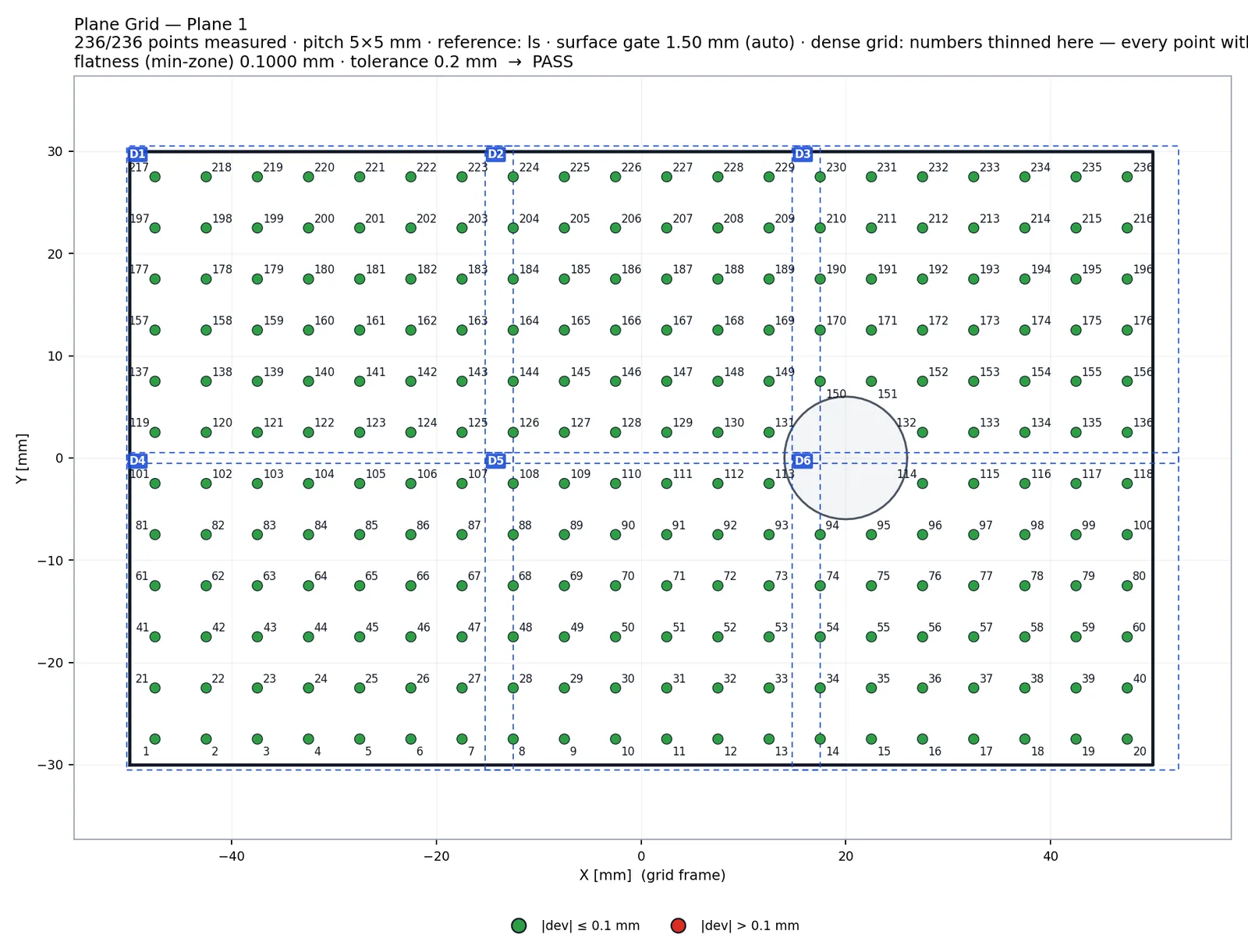
The Plane Grid answers them the way an inspector with a straight edge and feeler gauges would, but on the scan: it places a numbered lattice on the face, reads the height of the scan at every lattice point along the face normal and evaluates every callout on those points. The same numbers appear on the model, in the sketch and in the point table of the report.
The lattice: centred on the face outline, numbered once
The grid is built from the face outline of the CAD, not from the scan: the outer loops of the STEP face (several loops when the face is a frame of coplanar panels), minus the holes, minus a margin. The lattice is centred on the outline's bounding box and numbered row by row, so two parts of the same drawing get the same point 37 in the same place. The scope can be the whole face, drawn regions, an edge strip of a chosen offset or a strip around the whole closed contour.
Each point is projected along the face normal with a surface gate. When the scan is not there — a hole that the outline did not know about, a missing patch, a raised island, a steep slope — the point is reported as N/A with the reason. The engine does not interpolate across a gap and does not reuse the neighbour's value.
- Scope: whole face · regions · edge strip (inward or outward) · closed-contour strip
- N/A reasons: no surface in the gate · slope above the limit · island at another level · ambiguous (two surfaces)
- Coplanar sibling faces within 0.02 mm are offered as a checklist and join the outline
Flatness: least squares, minimum zone and per area
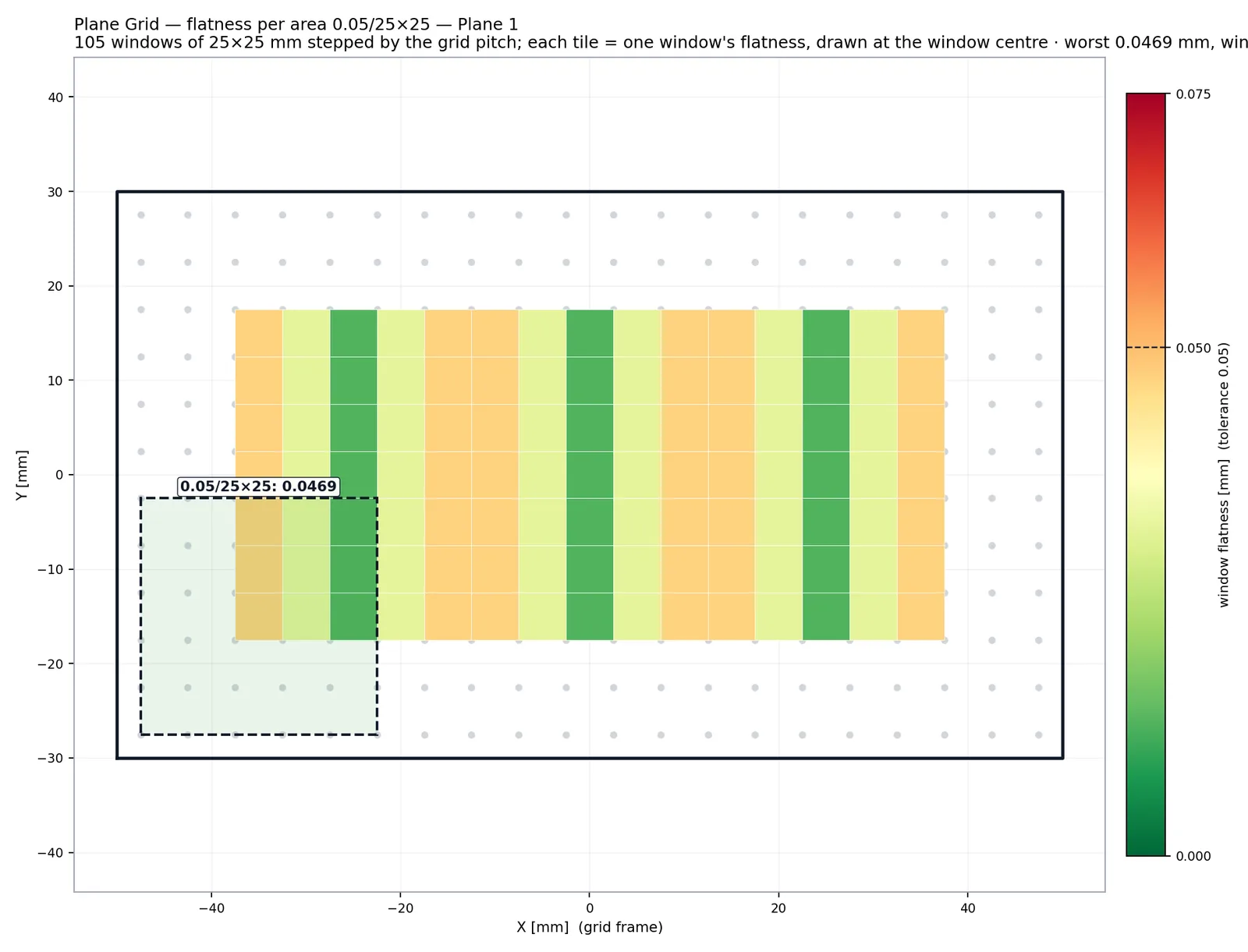
Flatness of the whole face is evaluated against a reference plane fitted to the measured points. Least squares is reported for reference; the judged value is the exact minimum-zone width, solved as a linear programme rather than approximated, because the minimum zone is what ISO 1101 and ASME Y14.5 define. Flatness per area slides a square window of the drawing's size across the lattice and reports the worst window; the sketch shades it on the grid.
The sign convention is fixed by the material side, not by the scan's triangle winding: the frame looks at the face from outside, so a bump reads positive on every part and every scanner.
Straightness per line and per length
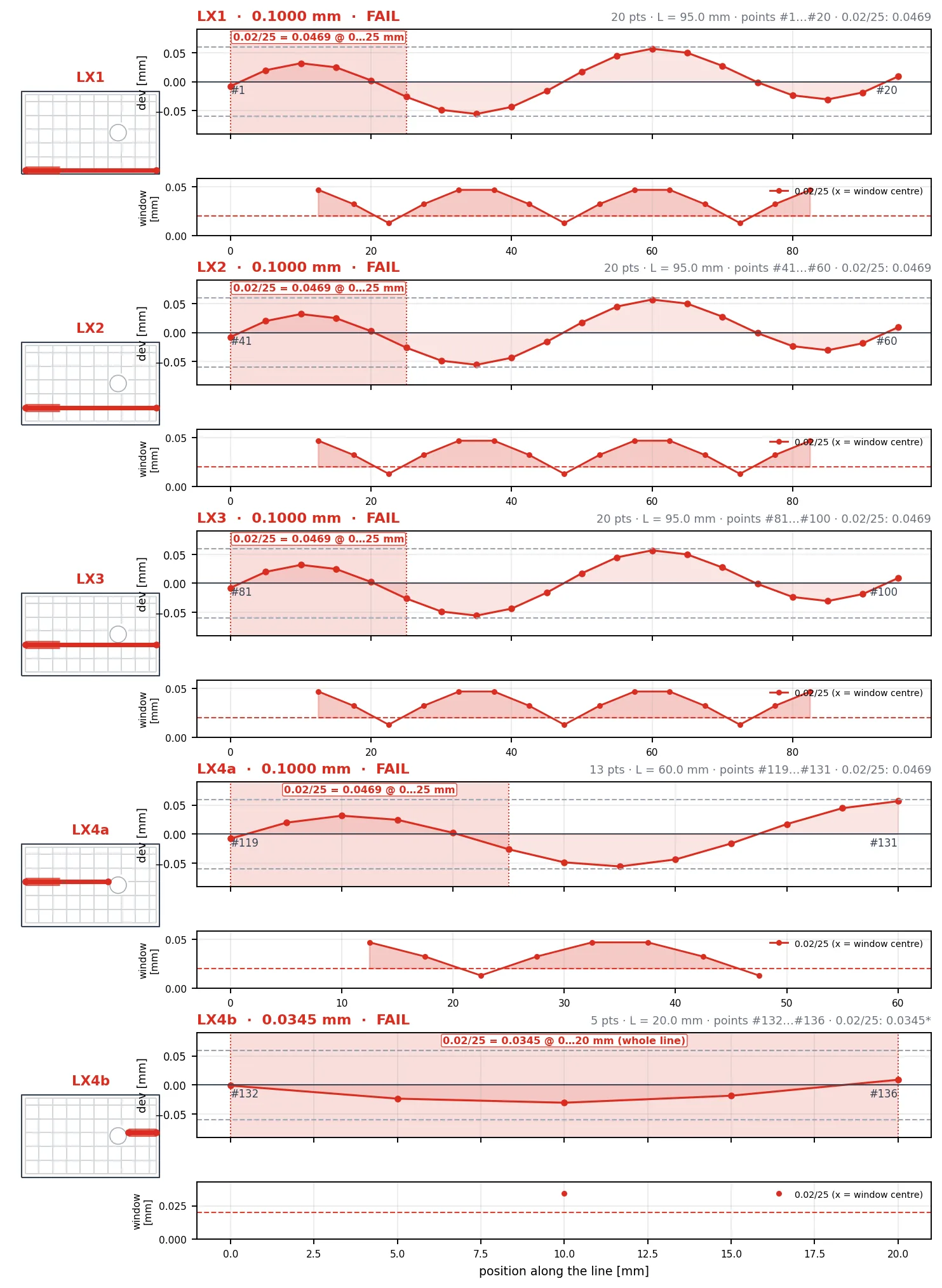
Rows and columns of the lattice become straightness lines automatically, or the operator picks a line by clicking two or more points — the clicks are joined along the lattice, so a line follows the grid and never interpolates between points that were not measured. A callout like 0.2 / 30 or 1.3 / 1 000 is evaluated by sliding a window of that length along the line and reporting the worst window; a line shorter than the window is evaluated as a whole and flagged as short.
Every straightness line also becomes a real line element in the element table, so it can be used downstream like any other element. A line with only two measured points is still built and sketched, but its straightness is reported as N/A with the reason "two points" — a value from two points would be a fabrication.
- Automatic rows / columns with a spacing in millimetres, or manual lines joined along the lattice
- Per-length windows: worst window value, its position and the window curve in the profile page
- Lines are split at unmeasured points; the pieces share the base line's balloon
What lands in the report
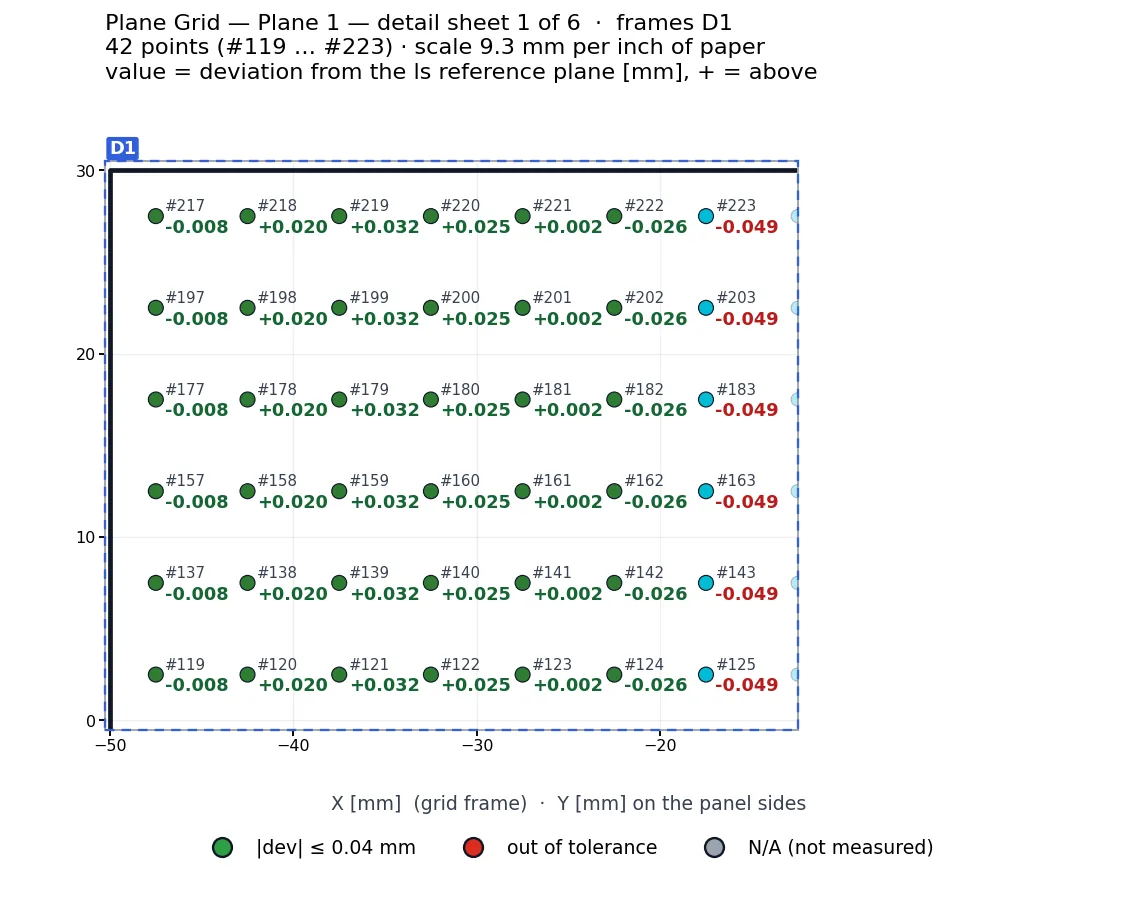
The report carries the overview sketch, the lines pages per direction with labels in the margin, the profile pages, and a point table that is always complete — every lattice point with number, value and status, in both colour modes. When the overview cannot print the number and value at every point legibly, detail sheets are generated at the printed scale with zero label overlaps. Balloons are stable: Flatness, flatness per area, each line's straightness and each point number map to the same balloon on every part.
Because the grid is a recorded step, the same evaluation replays on the next scan: same outline, same lattice, same balloons — and a point that this part does not cover becomes N/A on this part only.
Curved faces: cylinders and cones
The same lattice wraps around a cylindrical or conical face with per-point normals. Flatness becomes cylindricity or conicity (least squares and minimum zone), an axial line reports straightness, a circumferential ring reports circularity, and the sign follows the material side — a bump outward is positive on a pin and negative in a bore. The report says so in its heading.