Three ways to write the same tolerance width
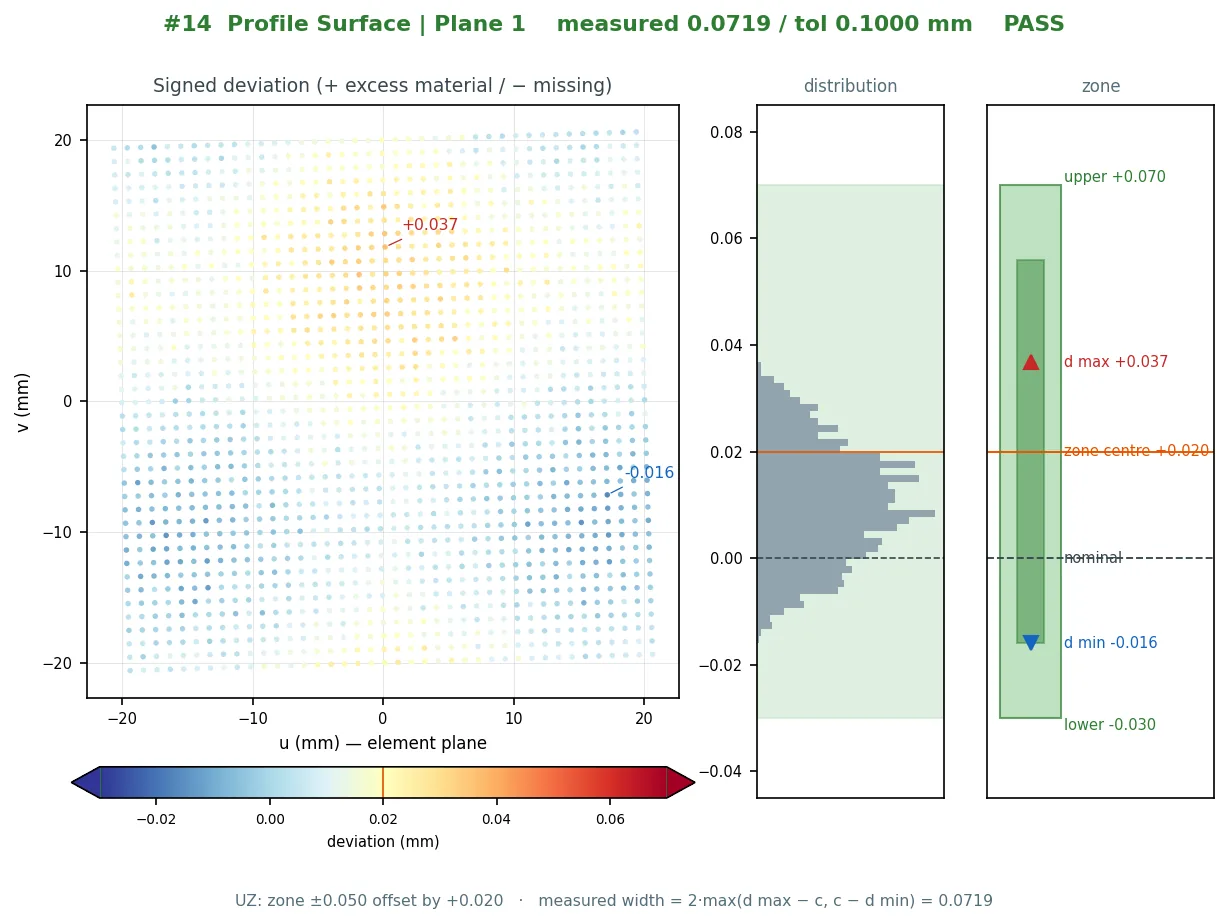
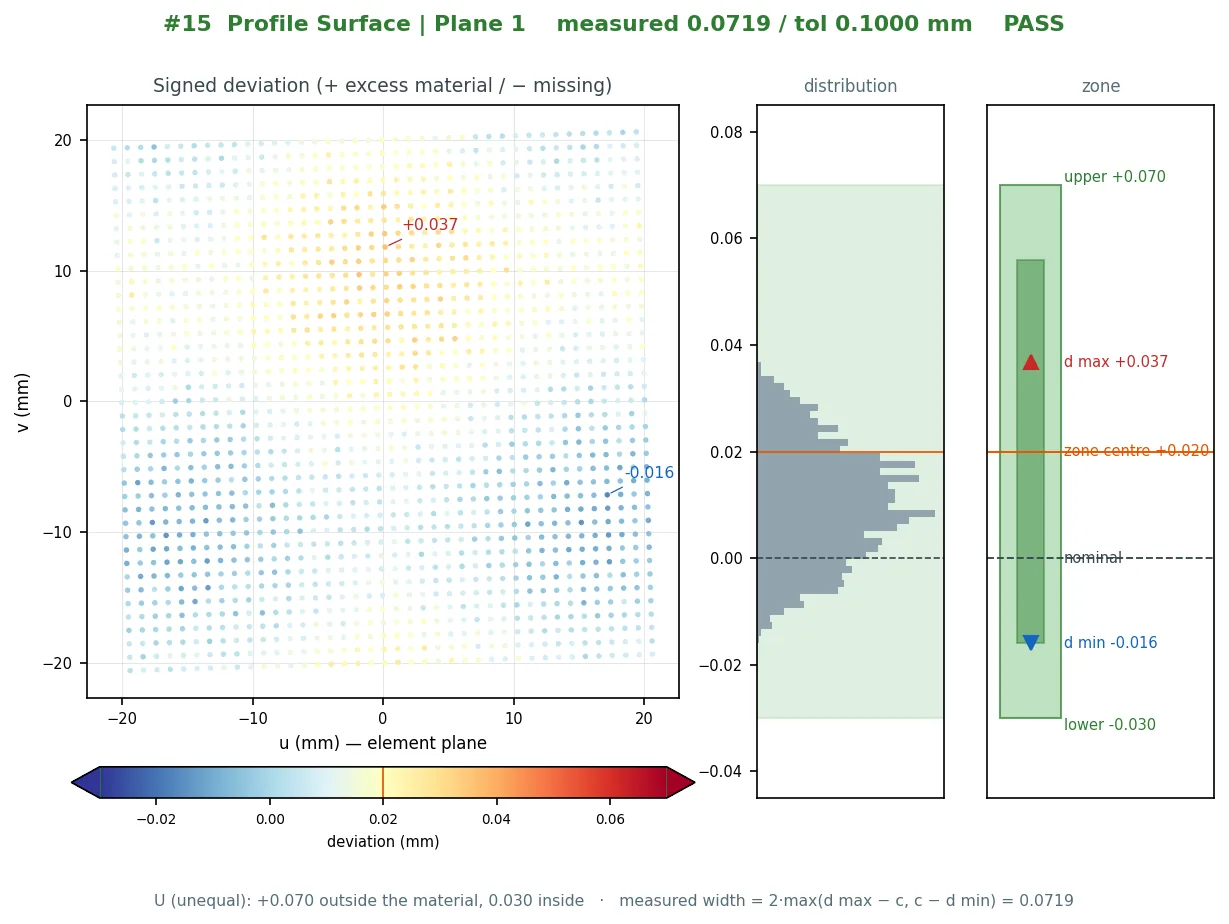
A bilateral profile of 0.6 allows ±0.3 around the nominal surface. ASME Y14.5's Ⓤ modifier shifts the zone: 0.6 Ⓤ 0.4 allows +0.4 outside the material and −0.2 inside. ISO 1101's UZ offset moves the centre of the zone instead: 0.6 UZ +0.1 allows +0.4 / −0.2 as well, written differently. All three are 0.6 wide; they differ in where the width sits, and a scan evaluation has to place it exactly.
Ai-Inspect has one function that turns (total, mode, value) into an upper and a lower bound, and every consumer — the GD&T dialog, the Section Profile wizard, the table, the report and the plot — reads the bounds from it. The measured value reported is twice the larger distance from the zone centre to the farthest point, so measured ≤ total is exactly PASS and the report does not re-judge.
- Bilateral: upper = +t/2, lower = −t/2
- ASME Ⓤ v: upper = +v, lower = −(t − v)
- ISO UZ v: upper = t/2 + v, lower = −(t/2 − v)
The sign is the material side
Unequal zones only make sense when + and − mean something physical: + is outside the material (excess), − is inside (missing). A scanned point's sign therefore cannot come from the orientation of the nearest triangle of the CAD tessellation; triangle winding is an export artefact. It is proven by asking the CAD solid whether a point just off the surface is inside or outside the body.
On a closed CAD mesh that is a direct test. Real STEP tessellations are often nearly closed — a handful of open edges out of tens of thousands — and on those the engine runs the inside test anyway and proves it twice: a self-consistency check with ± probe pairs, and a B-rep classifier on probe points held away from the surface by half a millimetre, never on the measured points themselves, because a 0.03 mm deviation sits inside the chord error of the tessellation. When the two disagree the profile is refused and Bilateral is suggested; an open mesh is refused outright.
What the plot shows
Every profile result carries a plot drawn from the same numbers as the table row: a signed deviation map on the plane fitted to the measured points, a zone diagram with the upper and lower bounds and the measured band, and a histogram of the deviations. The plot never evaluates anything on its own — change the tolerance and it is redrawn from the stored data — and it opens from the GD&T table or is placed in the PDF under "Form & Profile Plots".
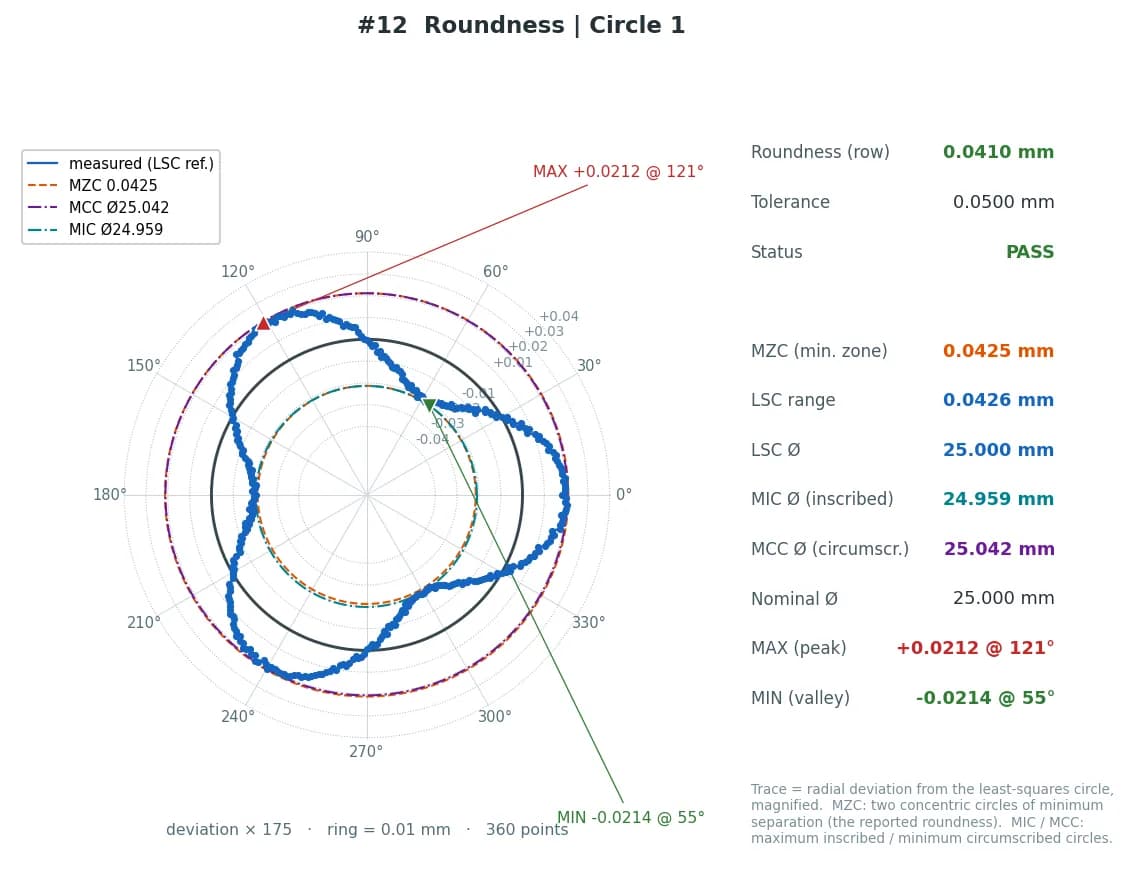
The same mechanism draws a roundness plot: a polar trace with the deviation magnified, the LSC, MZC, MIC and MCC circles and the min / max points, so a roundness value can be read against the fit that produced it.
Profile in a datum reference frame
A profile callout with datums is evaluated in the datum reference frame, and that frame is the same one used for position and for coordinate rows: one function builds it from the measured datums, exactly as a CMM program would. A profile whose datum could not be established is refused with the reason instead of being evaluated in the alignment frame.
On cross sections, the Section Profile wizard offers the same Bilateral / Ⓤ / UZ selector per requirement; the material side on a section is taken by point-in-polygon on the nominal loop, not from the direction the polyline happens to run.